
Best QR Code Generator 2026 | Free & Branded
The Ultimate Guide to the Best QR Code Generator in 2026: Create, Brand, and Track Your Way to Success
Table of Contents
The QR Code Renaissance: Why 2026 is the Year of Smart QR Codes
Remember when QR codes were just those pixelated squares on restaurant tables during the pandemic? Those days are long gone. In 2026, QR codes have evolved into sophisticated marketing powerhouses that bridge the gap between offline and online experiences.
The global QR code market has surpassed $4.2 billion, and it's not hard to see why. Modern businesses are using QR codes for everything from instant social media connections and contactless payments to product authentication and immersive AR experiences. But here's the catch: not all QR code generators are created equal.
If you're still using basic, static QR code generators that offer zero tracking and limited customization, you're leaving money on the table. Today's professional marketers need dynamic, branded QR codes with real-time analytics—and that's exactly what Social Preview Hub delivers.
What is a QR Code? Understanding Static vs. Dynamic Codes
Before we dive into creating your perfect QR code, let's clarify a critical distinction that most businesses overlook: Static vs. Dynamic QR codes.
Static QR Codes: The One-Time Deal
Static QR codes are fixed. Once generated, the information encoded in them cannot be changed. If you print 10,000 flyers with a static QR code linking to your website and later want to redirect users to a different landing page—tough luck. You'll need to reprint everything.
Use static codes for:
WiFi passwords
Permanent contact information (vCards)
Product serial numbers
Dynamic QR Codes: The Smart Choice for Business
Dynamic QR codes contain a short redirect URL that points to your actual destination. This means you can:
Edit the destination URL anytime without reprinting the code
Track every single scan (location, device type, time)
A/B test different landing pages using the same QR code
Set expiration dates or password protection
The bottom line? If you're using QR codes for marketing, events, or customer engagement, dynamic codes aren't optional they're essential. And with Social Preview Hub's QR Code Generator, dynamic codes are just as easy to create as static ones.
Key Features of a Professional QR Code Generator
Not every QR code generator will help you build your brand and grow your business. Here's what separates amateur tools from professional-grade platforms like Social Preview Hub:
1. Full Brand Customization
Your QR code should be an extension of your brand identity, not a generic black-and-white square. Social Preview Hub allows you to:
Upload your logo directly into the center of the QR code
Choose custom colors that match your brand palette
Select frame styles and add custom call-to-action text ("Scan Me," "Get 20% Off," etc.)
Adjust corner styles (square, rounded, or dot patterns)
Pro Tip: A branded QR code can increase scan rates by up to 30% compared to standard black-and-white codes. People trust what looks professional.
2. Real-Time Analytics Dashboard
This is where most free generators fail you. Social Preview Hub provides:
Total scan count with daily, weekly, and monthly breakdowns
Geographic data showing where your audience is scanning from
Device analytics (iOS vs. Android, mobile vs. desktop)
Time-based insights revealing peak engagement hours
Referral tracking to understand which marketing channels drive the most scans
Imagine running a billboard campaign and actually knowing how many people scanned your code, what city they were in, and what time of day they engaged. That's the power of analytics-driven QR codes.
3. Organized Code Management
If you're creating multiple QR codes for different campaigns, products, or locations, organization is critical. Social Preview Hub lets you:
Create folders to categorize codes by campaign type
Name and tag each code for easy searching
Bulk edit multiple codes simultaneously
Archive old campaigns without deleting valuable analytics data
4. High-Resolution Export Options
Planning to print your QR code on billboards, business cards, or product packaging? You need scalable, high-quality files. Social Preview Hub offers:
SVG format (infinitely scalable vector graphics)
EPS format (professional print standard)
PNG with transparent backgrounds
Customizable resolution up to 4000x4000px for large-format printing
Why this matters: A pixelated QR code not only looks unprofessional—it might not scan properly at all. Professional export formats ensure your codes look crisp whether they're on a business card or a 10-foot banner.
5. No Scan Limits or Hidden Fees
Many "free" QR code generators limit you to 100 scans per month or plaster their branding all over your codes. Social Preview Hub offers:
Unlimited scans on all plans
No watermarks or advertising on your codes
White-label options for agencies
Transparent pricing with no surprise charges
How to Create a Professional QR Code with Social Preview Hub in 60 Seconds
Ready to create your first branded, trackable QR code? Follow this simple process:
Step 1: Navigate to the Generator
Visit socialpreviewhub.com/qr-code-generator and click "Create New QR Code."
Step 2: Choose Your QR Code Type
Select what you want your QR code to link to:
Website URL (the most common option)
Social media profile or Link-in-Bio page
Contact information (vCard)
WiFi credentials
Plain text or SMS message
Step 3: Enter Your Destination
Paste your destination URL or information. For dynamic codes, you can always change this later without regenerating the code.
Step 4: Customize Your Design
This is where the magic happens:
Upload your logo (PNG or SVG recommended)
Select your brand colors for the data modules and background
Choose a frame style and add custom text
Preview how your code will look on different backgrounds
Step 5: Download and Deploy
Select your preferred file format:
PNG for digital use (websites, emails, social media)
SVG or EPS for print materials (business cards, posters, packaging)
That's it! Your professional, branded QR code is ready to use. But don't forget to track its performance in your Social Preview Hub dashboard.
Industry-Specific Use Cases: How Top Brands Use QR Codes
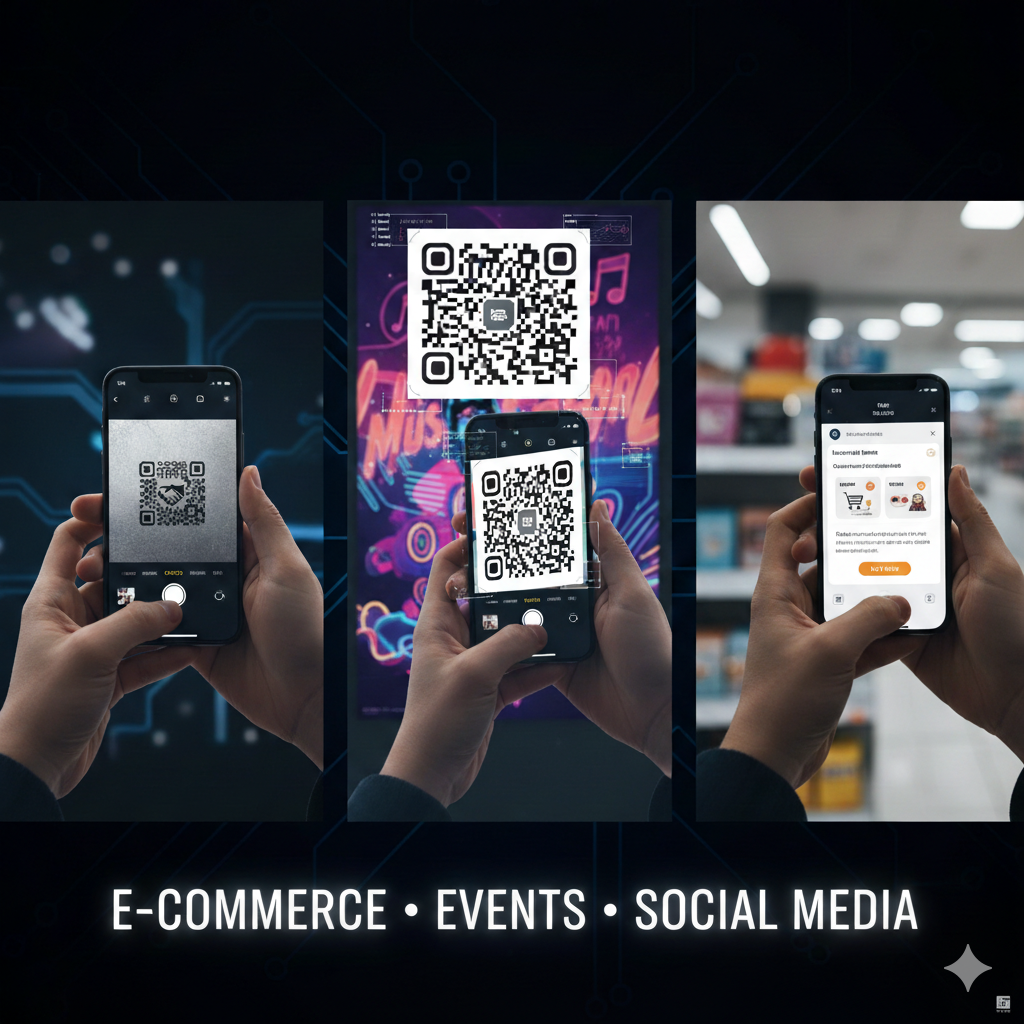
Still wondering how QR codes fit into your business strategy? Here are real-world applications across different industries:
E-Commerce & Retail
Challenge: Bridging the gap between physical stores and online experiences.
Solution: Place dynamic QR codes on:
Product packaging linking to detailed specs, reviews, or tutorial videos
In-store displays offering exclusive online discounts
Receipts encouraging customers to join your loyalty program
Window displays that allow 24/7 browsing even when the store is closed
Success Story: Fashion retailers are using QR codes on clothing tags to show styling suggestions and similar products, increasing online sales by 45%.
Real Estate & Events
Challenge: Providing instant access to information without requiring personal interaction.
Solution:
Real estate signs with codes linking to virtual tours, pricing, and agent contact
Event badges that connect attendees to digital business cards
Conference materials linking to presentation slides and speaker bios
Property brochures with video walkthroughs and floor plans
Pro Tip: Real estate agents using QR codes on "For Sale" signs report 3x more property inquiries compared to traditional signage.
Social Media Growth & Influencer Marketin
Challenge: Getting followers across multiple platforms without making them manually search for each account.
Solution: Create a single QR code that links to a Link-in-Bio page showcasing:
All your social media profiles (Instagram, TikTok, YouTube, LinkedIn)
Your latest content or product launches
Newsletter signup forms
Affiliate links or sponsorship content
Why it works: Instead of asking followers to "find us on Instagram @yourbrand," you simply say "Scan this code for all our links." One scan, infinite connections.
Social Preview Hub's QR codes integrate seamlessly with Link-in-Bio tools, making it the best QR code generator for social media marketers.
Restaurants & Hospitality
Challenge: Contactless ordering and reducing printing costs.
Solution:
Digital menus that can be updated instantly (daily specials, price changes, sold-out items)
Table ordering that reduces wait staff workload
Review collection by linking to Google Reviews or Yelp
Loyalty programs that reward repeat customers
Hotels are using QR codes for contactless check-in, room service ordering, and local recommendations—enhancing guest experience while reducing operational costs.
Social Preview Hub vs. Standard Free Generators
Feature | Standard Free Generators | Social Preview Hub |
Dynamic QR Codes | Limited or paid only | ✅ Included |
Logo Customization | ❌ Not available | ✅ Full branding |
Scan Analytics | ❌ None | ✅ Real-time dashboard |
Scan Limits | 50-100/month | ✅ Unlimited |
High-Resolution Export | ❌ Low-res only | ✅ SVG, EPS, PNG |
No Ads/Watermarks | ❌ Branded | ✅ Clean codes |
Code Management | ❌ No organization | ✅ Folders & tags |
URL Editing | ❌ Must regenerate | ✅ Edit anytime |
Support | ❌ Community forums | ✅ Priority support |
White-Label Options | ❌ Not available | ✅ For agencies |
The verdict: Free generators might work for personal projects, but if you're serious about marketing, customer engagement, or brand building, the choice is clear.
Frequently Asked Questions
Can I edit a QR code after printing it?
Yes, if it's a dynamic QR code. With Social Preview Hub, you can change the destination URL anytime without needing to reprint the code. This is perfect for seasonal campaigns, product updates, or fixing broken links.
Will adding a logo make my QR code unscannable?
Not if done correctly. Social Preview Hub automatically adjusts the error correction level when you add a logo, ensuring your code remains scannable even with 30% of the surface covered by branding elements.
What's the best size for printing QR codes?
The minimum recommended size is 2 x 2 cm (0.8 x 0.8 inches) for reliable scanning. For billboards or large displays, aim for at least 30 x 30 cm to ensure scannability from a distance.
Do QR codes expire?
Static QR codes never expire—the data is permanently encoded. Dynamic QR codes from Social Preview Hub remain active as long as your account is active, and you can set custom expiration dates if needed.
Can I track who scanned my QR code?
Social Preview Hub provides anonymous aggregate data including location, device type, and scan time. We do not collect personally identifiable information to protect user privacy.
Are QR codes secure?
Dynamic QR codes from reputable providers like Social Preview Hub are secure. However, always be cautious of QR codes from unknown sources, as malicious codes can redirect to phishing sites. Our platform includes security scanning to prevent fraudulent redirects.
Start Creating Professional QR Codes Today
The difference between a basic QR code and a strategic marketing asset comes down to the tool you use. Social Preview Hub's QR Code Generator combines:
✅ Beautiful, branded designs that reflect your professional identity
✅ Powerful analytics that turn scans into actionable insights
✅ Dynamic editing that saves you time and money
✅ Unlimited scans without hidden fees or restrictions
✅ Professional export formats for any use case
Whether you're a solopreneur building your personal brand, a marketing team running multi-channel campaigns, or an agency managing client projects, Social Preview Hub gives you the tools to create, track, and optimize QR codes that deliver real results.
Ready to transform your offline marketing into measurable online engagement?
👉 Start Generating for Free at socialpreviewhub.com/qr-code-generator