
Social Media Content Strategy 2026 - The Complete Playbook.
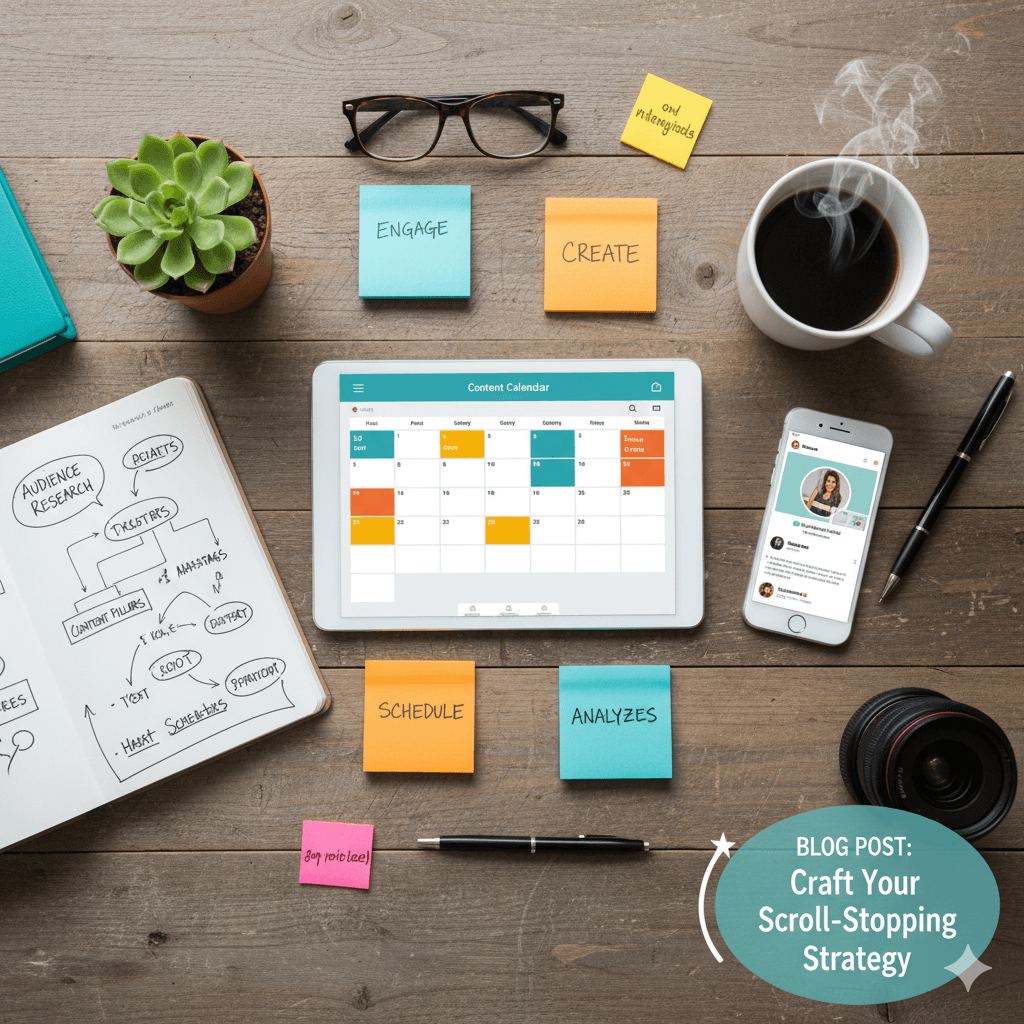
A social media content strategy is a documented plan that defines what you publish, where you publish it, when you publish it, and how you measure whether it works. Without one, you're posting randomly and hoping something sticks. With one, every piece of content serves a purpose — building audience, driving engagement, and moving people toward your goals.
This guide covers everything you need to build a social media content strategy from scratch in 2026, using free tools and data-driven decisions instead of guesswork.
What Is a Social Media Content Strategy and Why Do You Need One?
A social media content strategy is a structured framework that aligns your content creation with business goals, audience needs, and platform algorithms. It defines your content pillars, posting frequency, content formats, distribution schedule, and measurement criteria so every post contributes to measurable growth.
Without a strategy, most creators and businesses fall into a cycle of inconsistent posting, random topics, and no way to tell what's working. A strategy eliminates that cycle by giving you a repeatable system.
The difference between accounts that grow and accounts that stagnate is rarely talent or budget. It's consistency and intention. A content strategy provides both.
What a Content Strategy Includes
Content pillars: 3–5 core topics you consistently cover
Platform selection: Which platforms you focus on and why
Content formats: Text posts, carousels, Reels, Stories, long-form video
Posting schedule: How often and when you publish on each platform
Voice and tone: How your brand communicates
Measurement framework: Which metrics you track and what success looks like
Tool stack: The tools you use to create, preview, schedule, and measure
How Do You Define Your Content Pillars?
You define your content pillars by identifying 3–5 core topics at the intersection of your expertise, your audience's problems, and your business goals. Each pillar should be broad enough to generate dozens of content ideas but specific enough to establish topical authority.
Content pillars are the foundation of your strategy. They ensure you never run out of ideas while keeping your content focused enough that your audience knows what to expect from you.
How to Choose Your Pillars
List your expertise areas: What do you know deeply?
List your audience's problems: What questions do they ask? What frustrates them?
Find the overlap: Where your knowledge solves their problems — those are your pillars
Filter by business relevance: Each pillar should connect to something you sell or want to be known for
Example Content Pillars
For a SaaS company:
Product tutorials and use cases
Industry trends and insights
Customer success stories
Behind-the-scenes and team culture
Thought leadership and hot takes
For a personal brand (marketing consultant):
Social media strategy tips
Content creation tutorials
Platform algorithm updates
Tool reviews and comparisons
Personal stories and lessons learned
For an e-commerce brand:
Product showcases and styling
Customer testimonials and UGC
Behind-the-scenes production
Industry education
Seasonal and trend content
The 80/20 Rule
Aim for 80% value-driven content (educate, entertain, inspire) and 20% promotional content (product launches, offers, CTAs). Audiences unfollow accounts that only promote. They stay for accounts that consistently deliver value.
How Often Should You Post on Each Platform?
You should post 3–5 times per week on Instagram, 2–4 times per week on LinkedIn, 1–3 times daily on TikTok, 3–5 times daily on Twitter/X, 3–5 times per week on Facebook, and 1–2 times per week on YouTube. Quality always beats quantity — reduce frequency before reducing quality.
These are baseline recommendations. Your ideal frequency depends on your capacity, audience expectations, and content format.
Platform | Minimum Frequency | Optimal Frequency | Content Types |
|---|---|---|---|
3x/week | 5–7x/week (mix of formats) | Reels, Carousels, Stories, Feed posts | |
2x/week | 3–5x/week | Text posts, Carousels, Articles, Polls | |
TikTok | 3x/week | 1–3x/day | Short-form video, Photo carousels |
Twitter/X | 1x/day | 3–5x/day | Text, Threads, Images, Polls |
3x/week | 5x/week | Video, Images, Links, Groups | |
YouTube | 1x/week | 2x/week + Shorts | Long-form video, Shorts |
3x/week | 1–3x/day | Pins, Idea Pins |
The Consistency Rule
Posting 3 times per week every week for 6 months will outperform posting daily for 2 weeks then disappearing for a month. Algorithms reward consistency. Pick a frequency you can sustain long-term.
What Content Formats Work Best on Each Platform in 2026?
The best-performing content formats in 2026 are carousel posts on LinkedIn and Instagram, short-form video (Reels, Shorts, TikTok) for discovery and reach, long-form video on YouTube for depth, and text posts on Twitter/X and LinkedIn for engagement and conversation.
Each platform has a format that its algorithm currently favors:
Carousels: Highest save rate and share rate of any format. Ideal for educational content, listicles, and step-by-step guides.
Reels: Highest discovery potential. The algorithm pushes Reels to non-followers more than any other format.
Stories: Best for maintaining daily connection with existing followers. Polls, questions, and behind-the-scenes content perform well.
Document posts (Carousels): 3x more engagement than text posts according to LinkedIn content studies and data from Hootsuite and Buffer.
Text posts: Still the backbone of LinkedIn. Hook-driven posts with line breaks perform best.
Polls: High engagement but lower authority-building value. Use sparingly.
TikTok
Short-form video (15–60 seconds): The platform's core format. Hook viewers in the first 3 seconds.
Photo carousels: A growing format on TikTok that performs well for educational and listicle content.
Twitter/X
Text posts: Short, punchy, opinion-driven. Questions and hot takes drive replies.
Threads: Multi-tweet threads act as mini-blog posts. High bookmark and retweet potential.
Images: Posts with images get 150% more retweets than text-only posts.
YouTube
Long-form video (8–15 minutes): Best for monetization and deep engagement.
Shorts (under 60 seconds): Best for subscriber growth and discovery.
How Do You Create a Content Calendar That You'll Actually Follow?
You create a sustainable content calendar by batching content creation into dedicated sessions, planning 2–4 weeks ahead, assigning content pillars to specific days, and building in flexibility for trending topics and real-time content.
A content calendar fails when it's too rigid or too ambitious. The best calendars are simple, repeatable, and leave room for spontaneity.
Step 1: Map Pillars to Days
Assign each content pillar to specific days of the week. This eliminates the daily "what should I post?" decision.
Example weekly calendar for LinkedIn:
Monday: Industry insight or hot take (Pillar 1)
Tuesday: Tutorial or how-to carousel (Pillar 2)
Wednesday: Personal story or lesson (Pillar 3)
Thursday: Tool tip or resource share (Pillar 4)
Friday: Engagement post — question or poll (Pillar 5)
Step 2: Batch Creation
Dedicate 2–3 hours per week to creating the next week's content in one sitting. Batching is more efficient than creating one post at a time because you stay in creative flow.
Use these free tools during your batch session:
Caption Generator to draft and refine captions quickly
Hashtag Generator to build hashtag sets for each post
Character Counter to verify post length fits each platform
LinkedIn Post Preview to check how posts will look before publishing
Image Resizer to resize images for every platform in one click
Step 3: Plan 2–4 Weeks Ahead
Plan your content 2–4 weeks in advance. Leave 20–30% of your calendar open for:
Trending topics you want to comment on
Timely responses to industry news
User-generated content or reposts
Performance-based adjustments (doubling down on what's working)
Step 4: Review and Adjust Weekly
Every week, spend 15 minutes reviewing last week's performance:
Which posts got the highest engagement?
Which content pillar performed best?
What can you do more of? Less of?
Adjust next week's calendar based on the data.
How Do You Repurpose Content Across Platforms?
You repurpose content by adapting a single core idea into platform-specific formats — turning a LinkedIn carousel into Instagram slides, a blog post into a Twitter thread, a YouTube video into TikTok clips, and a podcast into quote graphics — multiplying your output without multiplying your effort.
Repurposing is the most efficient content strategy move you can make. One strong idea can become 5–10 pieces of content across platforms.
The Repurposing Framework
Start with one long-form piece (blog post, YouTube video, podcast episode, or LinkedIn article), then extract:
3–5 social media posts: Key points become individual posts
1 carousel: Summarize the main steps or lessons into a swipeable format
1 Twitter thread: Convert the outline into a thread with one key point per tweet
2–3 short-form videos: Pull the most quotable or actionable segments into 30–60 second Reels/TikToks/Shorts
5+ Stories: Behind-the-scenes of creating the content, polls asking audience opinions, quote slides
1 email newsletter: Summarize the piece with a link back to the full version
Platform Adaptation Rules
Repurposing is not copy-pasting. Each platform has different norms:
Original Format | TikTok | Twitter/X | ||
|---|---|---|---|---|
Blog post | Carousel summary | Text post + link in comments | Talking-head video of key point | Thread |
YouTube video | Reel (best 60-sec clip) | Carousel of key frames | Re-edit for vertical 9:16 | Quote + link |
Podcast | Audiogram or quote card | Key insight as text post | Video clip if recorded | Pull quote |
LinkedIn post | Carousel version | (original) | Expand into short video | Condense to 280 chars |
What Free Tools Do You Need for Social Media Content Creation?
You need tools for content creation, preview and formatting, image optimization, analytics, hashtags, and campaign tracking. SocialPreviewHub provides 25+ free tools covering all these categories with no signup required and no data uploaded to servers.
Here's the complete free toolkit organized by workflow stage:
Content Creation
Tool | What It Does |
|---|---|
Caption Generator | Draft and refine captions with AI assistance |
Bio Generator | Write optimized social media bios |
Carousel Maker | Create LinkedIn carousels as PDF |
Hashtag Generator | Find relevant hashtags for any topic |
Character Counter | Verify post length per platform |
Preview and Quality Control
Tool | What It Does |
|---|---|
LinkedIn Post Preview | See how your post looks before publishing |
Safe Zone Checker | Verify TikTok/Reels/Shorts UI won't cover your content |
Image Resizer | Resize for all 17 platform sizes at once |
Measurement and Analytics
Tool | What It Does |
|---|---|
Engagement Rate Calculator | Calculate and benchmark your engagement rate |
Best Time to Post | Find optimal posting windows per platform |
UTM Builder | Track which posts drive traffic and conversions |
How Do You Measure If Your Content Strategy Is Working?
You measure content strategy effectiveness by tracking engagement rate, reach growth, follower growth rate, content saves and shares, click-through rate, and conversions — then comparing these metrics month-over-month against your baseline and goals.
Not every metric matters equally. Focus on the ones that align with your specific goals.
Metrics by Goal
Goal: Brand Awareness
Reach and impressions (how many people see your content)
Follower growth rate (are you attracting new audience?)
Share rate (are people spreading your content?)
Goal: Engagement and Community
Engagement rate
Comment quality (meaningful conversations vs. emoji-only)
Save rate (especially on Instagram — saves signal high value)
Goal: Traffic and Conversions
Click-through rate (CTR) from social to website
UTM-tagged link performance
Conversion rate from social traffic
Goal: Revenue
Customer acquisition from social channels
Social media ROI (revenue generated vs. time and money invested)
Attribution per platform and content type
Monthly Review Cadence
Every month, compare:
This month's engagement rate vs. last month's
Follower growth rate (healthy = 1–3% monthly)
Top 5 performing posts — what content pillar and format?
Bottom 5 performing posts — what to stop doing?
Platform-specific trends — is one platform growing faster?
Use this data to adjust your content pillars, posting frequency, and format mix for the following month. Strategy is not "set and forget" — it's a continuous optimization loop.
What Are the Biggest Content Strategy Mistakes to Avoid?
The biggest content strategy mistakes are posting without a plan, ignoring platform-specific optimization, chasing vanity metrics over meaningful engagement, inconsistent publishing, not repurposing content, and never reviewing performance data to adjust the strategy.
Mistake 1: No Strategy at All
Posting randomly without content pillars, a schedule, or measurement is the single most common failure. Even a simple strategy beats no strategy.
Mistake 2: Same Content Everywhere
Copy-pasting the same post to every platform ignores platform-specific norms, formats, and audiences. A LinkedIn text post doesn't work as a TikTok. Adapt your content per platform.
Mistake 3: Chasing Vanity Metrics
Likes feel good but don't drive business results. Focus on saves, shares, comments, and click-throughs — these signal deeper engagement and are weighted more heavily by algorithms.
Mistake 4: Inconsistent Publishing
Posting 5 times in one week then disappearing for 3 weeks destroys algorithmic momentum. Consistency builds trust with both your audience and the platform's distribution system.
Mistake 5: Never Previewing Before Publishing
Formatting errors, truncated text, cropped images, and broken link previews make your brand look unprofessional. Preview every post before publishing, check image sizes, and validate your link previews.
Mistake 6: Not Tracking What Works
If you don't measure, you can't improve. Use the Engagement Rate Calculator weekly and the UTM Builder for every campaign link.
How Do You Build a Content Strategy from Scratch Today?
You build a content strategy from scratch by defining your goals, identifying 3–5 content pillars, choosing 1–2 primary platforms, setting a sustainable posting frequency, creating your first 2 weeks of content in a batch session, and reviewing performance weekly to refine your approach.
Here's the action plan:
Week 1: Foundation
Define your primary goal (awareness, engagement, traffic, or revenue)
Identify your 3–5 content pillars
Choose 1–2 platforms to focus on (don't spread thin)
Set your posting frequency (start conservative — you can increase later)
Set up your free tool stack at SocialPreviewHub
Week 2: First Content Batch
Write 10 post ideas (2 per pillar)
Create the content in a batch session using the Caption Generator and Hashtag Generator
Preview each post using LinkedIn Post Preview for LinkedIn, Safe Zone Checker for TikTok/Reels
Resize images with the Image Resizer
Schedule or publish according to your posting calendar
Weeks 3–4: Publish and Learn
Publish on schedule — consistency over perfection
Track engagement using the Engagement Rate Calculator
Note which posts perform best — pillar, format, time, and hook type
Find your best posting times using platform analytics
Month 2+: Optimize
Double down on your top-performing content pillar and format
Start repurposing: turn your best posts into carousels, threads, and short videos
Expand to a second platform once you've built consistency on your first
Review and adjust monthly
Key Takeaways
A content strategy defines your pillars, frequency, formats, and measurement — it's a system, not a one-time plan
Pick 3–5 content pillars where your expertise meets your audience's problems
Consistency beats intensity — post on a sustainable schedule
Each platform has a winning format: carousels on LinkedIn and Instagram, short video on TikTok, text on Twitter/X
Repurpose one strong idea into 5–10 pieces across platforms
Measure weekly with the Engagement Rate Calculator and review monthly
Preview everything before publishing — formatting errors kill credibility
Build your entire content creation workflow for free with SocialPreviewHub's 25+ tools — no signup, no data uploaded, 100% browser-based.