
What Are Meta Tags in SEO? A Beginner's Guide (With Examples)
What Are Meta Tags in SEO? A Beginner's Guide (With Examples)
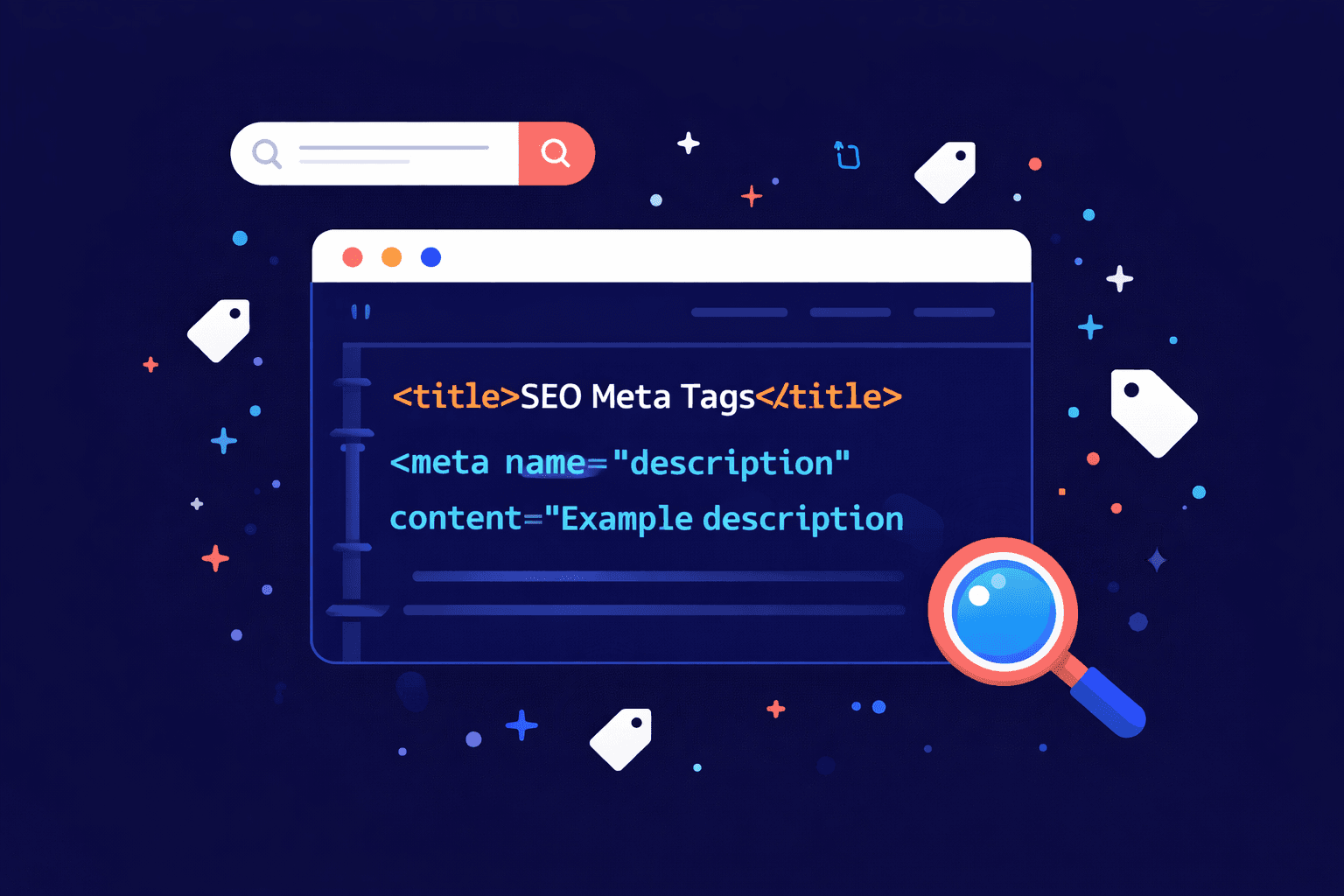
Meta tags are small snippets of HTML code that tell search engines and browsers what your webpage is about — without showing up on the page itself. They live quietly in the <head> of your HTML, invisible to visitors but incredibly important for how Google reads, ranks, and displays your content.
If you've ever wondered why one search result gets way more clicks than the others — even when it's ranked lower — meta tags are often the reason.
In this guide, you'll learn exactly what meta tags are, which ones actually matter for SEO in 2025, which ones are a complete waste of time, and how to write them so Google (and real humans) choose your page over the competition.
Table of Contents
What Are Meta Tags? (The Simple Explanation)
Let's start with an analogy.
Imagine your webpage is a book on a library shelf. The title on the spine is your meta title. The blurb on the back cover is your meta description. The genre sticker the librarian slaps on it? That's your other meta tags doing their quiet, unglamorous job.
Nobody reads the whole book before picking it up. They read the spine and the blurb. Meta tags in SEO work exactly the same way — they're the first impression your page makes before anyone clicks.
Here's what a basic set of meta tags looks like in HTML:
<head>
  <title>What Are Meta Tags in SEO? A Beginner's Guide</title>
  <meta name="description" content="Meta tags tell Google what your page is about. Learn which ones matter for SEO and how to write them to get more clicks.">
  <meta name="robots" content="index, follow">
</head>
That code never appears on the page your visitor sees. But Google reads every word of it.
Why Meta Tags Matter for SEO
Meta tags in SEO serve two main jobs:
They help Google understand your content so it knows when and where to show your page in search results.
They help humans decide whether to click — which affects your click-through rate (CTR), a signal Google uses to judge whether your page deserves its ranking.
Get them wrong and you're invisible. Get them right and you punch above your ranking weight every single time.
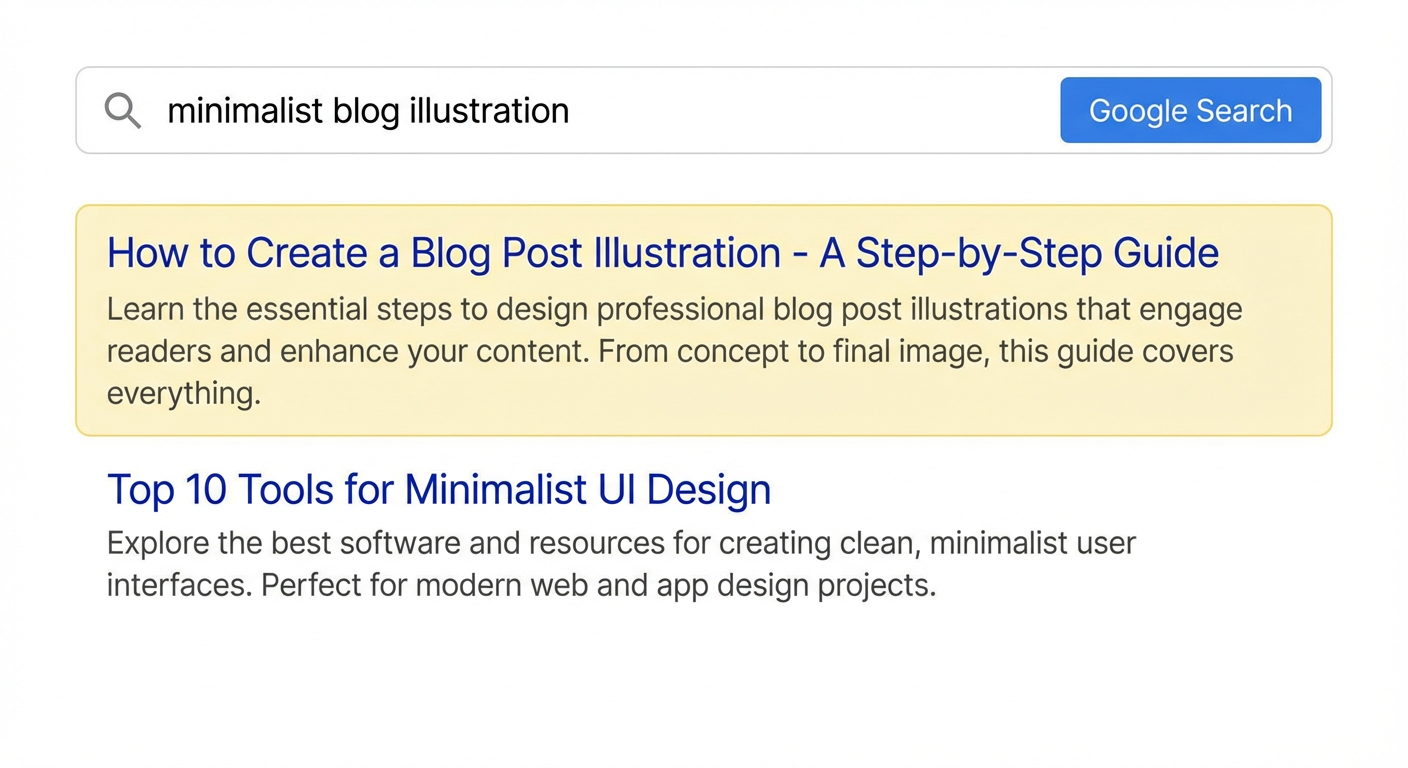
Here's a real example of what that looks like in practice. Two pages ranking on page one for the same keyword — one has a compelling, well-written title and description, the other has auto-generated tags that look like this:
"Meta tags - Wikipedia" "A meta element is a single tag placed in the head section of an HTML document. Meta elements can be used to specify page description..."
Versus a competitor with:
"What Are Meta Tags? The Complete SEO Guide (2025)" "Confused by meta tags? Here's exactly which ones Google cares about, which are dead weight, and how to write them in under 10 minutes."
Which one would you click? Exactly.
A client came to me frustrated. They had a local accounting firm — solid service, decent website, had been publishing blog posts for over a year. But their organic traffic was essentially flat. When I ran the audit, the culprit was hiding in plain sight: every single page on their site shared the same meta title.
"Smith & Associates | Accountants". Homepage. Service pages. Blog posts. All 34 of them. Google had no idea which page was the most relevant for any given search query, so it was essentially ignoring all of them. Within 8 weeks of rewriting their titles and descriptions, organic clicks were up 62% and three of their service pages had crept onto page one for local search terms they'd never ranked for before.
The 5 Meta Tags You Need to Know About
Not all meta tags are worth your time. Here's a breakdown of the ones that actually move the needle — and one you can safely ignore forever.
1. The Meta Title Tag — The Most Important Tag You Control
The meta title tag is the clickable blue headline that appears in Google search results. It's also one of the strongest on-page SEO signals you have direct control over.
Google puts extra weight on terms that appear in your title tag, so your target keyword should appear here — ideally near the front.
How to write a great meta title:
Keep it between 50–60 characters (longer titles get cut off in search results)
Lead with your primary keyword
Make it interesting enough to click — think of it as a mini headline
Add your brand name at the end:
What Are Meta Tags in SEO? | YourBrand
Let's look at the same page written three different ways:
Version | Title Tag | What's Wrong |
|---|---|---|
❌ Too vague |
| Tells Google and users nothing |
❌ Keyword stuffed |
| Looks spammy, gets ignored |
✅ Just right |
| Clear, keyword-first, compelling |
The difference isn't subtle. The wrong title tag can actively hurt you. The right one is free traffic waiting to happen.
My personal favourite was a plumbing company whose homepage title was literally
"Page 1".Not joking. Their developer had used a CMS template where the default title was "Page" followed by the page number, and nobody — not the developer, not the business owner, not a single person — had noticed for two years. They were ranking on page four for "[city] plumber" and genuinely could not work out why. Two years.Page 1.Invisible to Google the entire time.
2. The Meta Description Tag — It Won't Rank You, But It Will Get You Clicked
The meta description is the short summary that appears under your title in search results. Here's the part that surprises most people: it does not directly affect your Google rankings.
What it does affect is your click-through rate — and a higher CTR signals to Google that your result is satisfying searchers, which indirectly helps your rankings over time. It's a subtle but real connection.
A great meta description is one part summary, one part copywriting. It should:
Stay under 150–160 characters
Include your target keyword (Google bolds matching terms — this catches eyes)
Answer the searcher's unspoken question: "Why should I click THIS one?"
End with a soft nudge toward action
Here's the same page with three different meta descriptions:
Version A — Missing entirely (Google auto-generates this):
"...in this post we will be looking at the various types of meta tags that exist within search engine optimization and how they can be used to improve..."
Version B — Written but boring:
"Meta tags are HTML elements used in SEO. This article explains what they are and why they matter for your website."
Version C — Written to convert:
"Meta tags confused you? This guide covers every tag that matters for SEO — with examples, common mistakes, and copy-paste formulas. Start here."
Version C is 157 characters. It creates curiosity, promises a clear benefit, and tells you exactly what to do next. That's the difference between a 1% CTR and a 4% CTR on the same ranking.
I once rewrote the meta descriptions for 12 blog posts on a digital marketing agency's site — nothing else changed. No new content, no link building, no technical fixes. Just better descriptions. Within 6 weeks, average CTR across those 12 pages went from 1.4% to 4.1%. That's nearly 3x more clicks from the exact same rankings. The posts that benefited most were the ones where the old descriptions were just the first sentence of the article — dry, context-free, and completely failing to answer the reader's "why should I click this?" question. The lesson stuck with me: you can rank well and still lose the click. Meta descriptions are where that battle is won or lost.
3. The Robots Meta Tag — The Bouncer of Your Website
The robots meta tag tells search engines what they're allowed to do with your page — whether to index it, ignore it, or follow its links.
html
<meta name="robots" content="index, follow">The four key values you'll actually use:
Value | What it means | When to use it |
|---|---|---|
| Add this page to search results | Most pages |
| Don't include this page in search results | Thank-you pages, admin pages, duplicates |
| Follow the links on this page | Most pages |
| Don't follow the links on this page | Paid link pages, untrusted content |
Real-world example of when noindex saves you:
Say you run an e-commerce store with 4 colour variations of the same product — Red, Blue, Green, Black. Each variation has its own URL but nearly identical content. Without noindex on the variants, Google indexes all four near-duplicate pages, gets confused about which one to rank, and often ranks none of them well.
Slap noindex on the variants, point to the main product page, and suddenly Google has one clear signal instead of four muddy ones.
⚠️ Pro tip: Accidentally publishing a site with
noindexstill turned on — left over from development — is one of the most panic-inducing SEO mistakes there is. The site looks live, but Google can't see a single page. Always check this post-launch.
4. Open Graph Tags — Meta Tags for the Social Web 🔥
Open Graph (OG) tags are meta tags that control how your page appears when shared on social media — Facebook, LinkedIn, WhatsApp, Slack, iMessage, and more.
Technically, they're not traditional "SEO" meta tags. But they are criminally underused and absolutely worth your attention.
<meta property="og:title" content="What Are Meta Tags in SEO? Beginner's Guide">
<meta property="og:description" content="Learn which meta tags matter for SEO, which to skip, and how to write them to get more clicks.">
<meta property="og:image" content="https://yoursite.com/images/meta-tags-guide.jpg">
<meta property="og:url" content="https://yoursite.com/blog/what-are-meta-tags-seo">
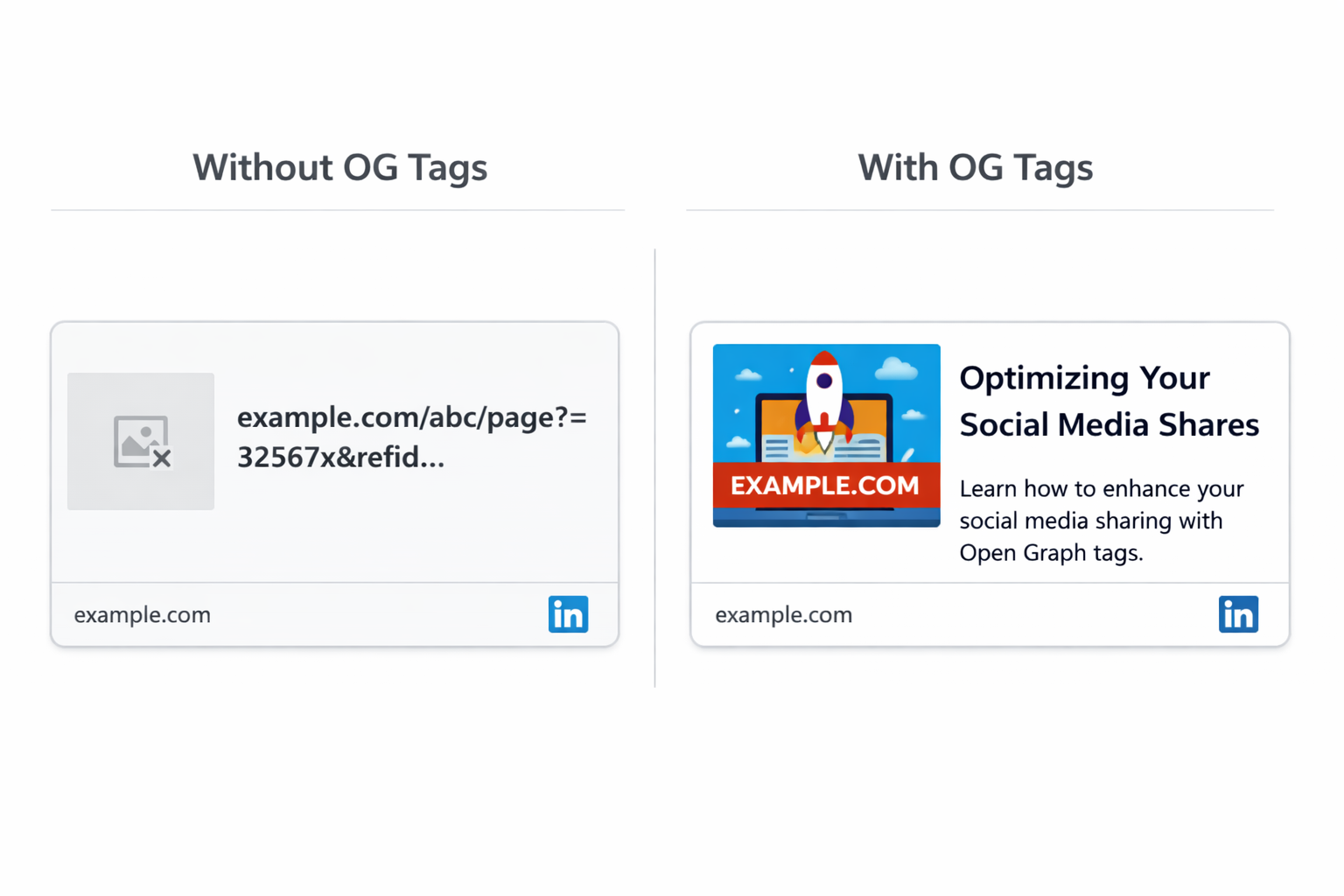
Without OG tags, this is what happens when someone shares your link on LinkedIn:
Image: A random logo or, worse, nothing at all
Title: Your full URL or a truncated mess
Description: Blank
With OG tags set correctly:
Image: Your custom branded thumbnail
Title: Exactly what you wrote, perfectly formatted
Description: Your crafted hook that makes people click
One looks like a professional brand. One looks like a broken link from 2009.
Set your Open Graph tags on every page you publish. Every. Single. Time.
5. Meta Keywords — A Dead Tag You Can Stop Worrying About
The meta keywords tag is completely ignored by Google and has been since the late 2000s. SEOs used to stuff it with keywords, Google caught on and stopped counting it, end of story.
<!-- Don't bother with this — Google ignores it entirely -->
<meta name="keywords" content="meta tags, seo, meta description, title tag, seo tips">
You don't need it. Skip it. If an SEO tool or consultant is still telling you to optimize your meta keywords in 2025, that's a red flag worth paying attention to.
The Biggest Meta Tag Mistakes I See During SEO Audits
After auditing 10+ websites, the same mistakes keep showing up. Here are the ones that cost people the most traffic:
Mistake #1: Duplicate Titles and Descriptions Across Multiple Pages
Every page on your site is unique and should have unique meta tags. Identical titles and descriptions across dozens of pages confuse Google — it doesn't know which page to rank for which query, so it often ranks none of them well.
What this looks like in practice:
An online clothing store has 200 product pages. Their developer used a template that pulls the store name into every title:
Women's Clothing | FashionStoreWomen's Clothing | FashionStoreWomen's Clothing | FashionStore
200 pages. 200 identical titles. Google has no idea which page sells dresses, which sells jeans, and which sells coats. So it ranks none of them confidently.
The fix is simple: [Product Name] — [Category] | [Brand]. Takes an afternoon to template correctly, pays dividends for years.
Mistake #2: Missing Meta Tags Entirely
If you don't write your meta tags, Google auto-generates them from your page content. Sometimes it grabs a random sentence from the middle of an article. Sometimes it pulls navigation text. Sometimes it just gives up and shows your URL.
You lose all control over the single most important thing standing between your page and a stranger's click.
Mistake #3: Writing for Robots Instead of Humans
This is a real title tag, pulled from a real website during an audit:
"SEO Services | Best SEO Company | Affordable SEO | SEO Agency | Local SEO"
That's 67 characters of pure keyword desperation. It communicates nothing, impresses no one, and Google actively penalises this kind of stuffing.
The irony? A clean, human-readable title like "SEO Services That Actually Move the Needle | AgencyName" would outperform it on every metric.
Mistake #4: Ignoring Character Limits
Titles over ~60 characters get cut off in search results. Descriptions over ~160 characters get truncated. A cut-off title in Google results looks like this:
The Complete Guide to Meta Tags in SEO for Beginners — Everything You Need...
The reader never sees the most important part. Always preview your tags before publishing — tools like Portent's SERP Preview Tool or Google Search Console make this a 30-second job.
If I had to pick one mistake I see more than any other, it's business owners who've left their meta descriptions completely blank — and don't realise Google is auto-generating something embarrassing in their place. I've seen Google pull return policy snippets onto homepage descriptions. I've seen it grab a cookie consent banner. I've seen it pull "skip to main content" as the entire description for a law firm's services page. You worked hard to get that ranking. Don't let Google write your pitch for you. Write your own descriptions — every time, for every page. It takes 3 minutes and it's the highest-ROI 3 minutes in SEO.
How to Write Meta Tags That Get Clicks: A Simple Framework
Here's the formula I come back to every time:
Meta Title Formula:
[Primary Keyword] — [Compelling Hook or Benefit] | [Brand Name]
Meta Description Formula:
[Relatable hook or problem] + [What this page delivers] + [Soft CTA]
Let's apply both to three different types of pages:
Blog post:
Title:
What Are Meta Tags in SEO? Beginner's Guide With Examples | YourBrandDescription:
Confused by meta tags? This guide covers every tag that matters for SEO — with real examples and a copy-paste framework. Start here.
Service page:
Title:
SEO Consulting Services for Growing Businesses | YourBrandDescription:
Tired of guessing what Google wants? We build SEO strategies that drive real traffic and real leads. See how we work.
Product page:
Title:
Noise-Cancelling Wireless Headphones — 40Hr Battery | YourBrandDescription:
Block out the world and stay in the zone. Our best-selling headphones with 40-hour battery life, free shipping, and a 2-year warranty. Shop now.
The formula doesn't change. The voice and specifics do. That's the whole game.
Do Meta Tags Still Matter for SEO in 2025?
Yes — but it depends on the tag. Here's the honest breakdown:
Meta Tag | Affects Rankings? | Affects Clicks? | Worth Doing? |
|---|---|---|---|
Meta Title | ✅ Yes | ✅ Yes | 🔴 Absolutely |
Meta Description | ❌ Not directly | ✅ Yes | 🔴 Absolutely |
Robots Tag | ✅ Yes (controls indexing) | ❌ No | 🟡 When relevant |
Open Graph Tags | ❌ No | ✅ Yes (social) | 🟡 Always |
Meta Keywords | ❌ No | ❌ No | ⬜ Skip it |
Meta tags are also increasingly important for AI-powered search. When tools like ChatGPT, Perplexity, and Google's AI Overviews pull answers from the web, they heavily favour pages that are clear, well-structured, and easy to parse. A well-written meta title and answer-first structure makes your content more likely to be cited in AI-generated answers — not just traditional search results.
Quick-Reference: Meta Tags Checklist for Every Page You Publish
Before you hit publish, run through this:
Meta title is 50–60 characters and includes the target keyword
Meta description is under 160 characters and has a clear hook or CTA
Robots tag is set to
index, follow(unless there's a specific reason not to)Open Graph title, description, and image are all set
No duplicate titles or descriptions shared with other pages
Tags have been previewed in a SERP simulator
Want Help Auditing Your Meta Tags?
If you're not sure whether your meta tags are helping or hurting you, explore our tools to audit, preview, and fix your meta tags without touching a single line of code.
Meta tags are one of the fastest wins in SEO. They take 10 minutes to fix and can meaningfully move your click-through rate within weeks. There's no good reason to leave them broken.